Download App

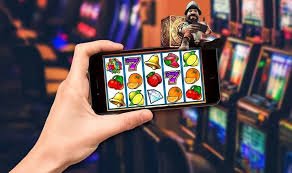
Download the KingBBet App – The Best Gaming Experience on Android & iOS in Malaysia

Take KingBBet wherever you go. Our mobile app delivers a smooth and secure slots, Live Casino, and Sports Betting experience right from your pocket.

Available for

Android iOS Web

Choose Your Download Platform

KingBBet app is available on all your major devices

KingBBet Android

Latest APK Version

Download the APK file directly to your Android device. Compatible with Android 6.0 and above. Lightweight file size and fast installation.

Platform Android 6.0+
Format APK (Direct Download)
Estimated Size ~28 MB
Language BM, EN, ZH

KingBBet iOS

For iPhone & iPad

Designed exclusively for Apple devices. Download via a dedicated profile and enjoy Live Casino, slots, and sports on your iPhone.

Platform iOS 12.0+
Compatible iPhone, iPad
Estimated Size ~32 MB
Language BM, EN, ZH
Direct Access via Web Browser

No time or space to download? No problem. You can access KingBBet via Chrome, Safari, Firefox or Edge on any device. Our website is fully responsive and delivers an experience almost identical to the app.

Chrome Safari Firefox Edge

Why Is the KingBBet App Different?

Many users ask — why download the app when you can access the website directly? The answer is simple: the app KingBBet delivers a faster, smoother and more comfortable experience compared to browser access, especially for players who game every day.

With the app installed on your phone, you can log in faster, navigate more easily, and enjoy game functions optimized specifically for smartphone touchscreens. No more typing URLs, hunting for browser tabs, or waiting for the site to reload from scratch every time you want to play.

In addition, the app KingBBet is built with efficient data usage in mind — even playing HD Live Casino won't burn through your mobile data quickly, thanks to optimized streaming technology for Malaysia's networks.


kingbbet

Key Features of the KingBBet App

Everything you need for the perfect mobile gaming experience

Fast Loading

The app is optimized for fast loading even on weak 4G networks or areas with limited coverage.

Secure Login

Supports biometric authentication — fingerprint or Face ID for fast and secure login without typing a password.

Live Notifications

Receive deposit notifications, the latest promotions, bonuses and sports match updates directly to your phone in real time.

All Games Available

Slots, Live Casino, Sports Betting — all accessible from one app without switching platforms.

In-App Deposits & Withdrawals

Make financial transactions directly from the app using DuitNow, FPX, Touch 'n Go, and many other methods.

Dark & Light Mode

Switch between light and dark mode to suit your preference or environment for better eye comfort.

kingbbet

How to Install the KingBBet App on Android

Installing the KingBBet APK on your Android phone is straightforward. Follow the steps below and you'll be up and playing within minutes.

1
Register or Login to Your Account

Make sure you have a kingbbet account. If not, register for free first.

2
Allow Unknown Sources

Go to Settings > Security > Enable "Install apps from unknown sources" to allow APK installation.

3
Download APK File

Click the Android download link on this page and wait for the APK file to finish downloading to your phone.

4
Install & Open the App

Open the APK file from the notification or your Downloads folder, tap Install, and wait for the process to complete. Log in and start playing!

How to Install the KingBBet App on iPhone & iPad

The installation process for iOS devices is slightly different from Android, but it remains straightforward and does not take long. Here is a quick guide for iPhone and iPad users.

Step 1 – Log In to Your KingBBet Account

Make sure you have an active kingbbet account. If not, register first through our registration page.

Step 2 – Access the iOS Installation Link

Open the KingBBet download page via Safari on your iPhone and tap the iOS download button. You will be directed to the profile installation page.

Step 3 – Trust the App Developer

Go to Settings > General > Device Management and trust the kingbbet developer profile so the app can run on your device.

Step 4 – Open & Log In

Find the KingBBet app icon on your phone's home screen, open it, and log in with your account credentials. You're all set!

kingbbet
kingbbet

App vs Web Browser – The Best Choice for You

Both access options — app and web browser — have their own advantages. We've listed the key differences to help you decide.

Aspect KingBBet App Web Browser
Access Speed Super fast — straight to the home page Need to open a browser and type in the URL
Biometric Login Supports fingerprint & Face ID No biometric support
Live Notifications Push notifications available No automatic notifications
Data Usage More efficient, optimized Standard, browser-dependent
Installation Required Yes — download once only No installation needed
Gaming Experience Optimized for touchscreen Responsive, works great

KingBBet App Security

Our app is built with multiple layers of security to protect your account and data

256-Bit SSL Encryption
All data transmitted between the app and server is fully protected.
Biometric Login
Fingerprint and Face ID for secure login without exposing your password.
Suspicious Activity Detection
An automated system detects and blocks unauthorized login attempts.
Integrated KYC Verification
Simple in-app KYC process to ensure your account is verified and protected.

FAQ – Download the kingbbet App

Answers to the most frequently asked questions about the KingBBet mobile app

Yes, it is completely free. The kingbbet app for Android (APK) and iOS can be downloaded at no cost. You only need an active kingbbet account to log in and start playing. There are no subscription fees or hidden charges for using the app.

This usually happens because Android's default security settings block APK installations from sources outside the Google Play Store. To fix this, go to your phone's Settings, find the Security or Privacy option, and enable "Allow installation from unknown sources" or "Install unknown apps". After that, try installing the KingBBet APK again.

Yes. The kingbbet app provides full access to all games available on the platform, including slots, Live Casino (Baccarat, Blackjack, Roulette, Dragon Tiger), Sports Betting and game shows. Deposit, withdrawal and account management functions are also fully available in the app with no limitations compared to the web version.

When a new version of the KingBBet app is available, you will receive an in-app notification or a push notification on your phone. You can also check the current app version under Settings or Profile. For Android, re-download the latest APK from the official KingBBet download page. For iOS, follow the update process shown within the app.

Ready to Bring kingbbet Into Your Pocket?

Create a free account now and download the KingBBet app for the best gaming experience in Malaysia.

Bahasa Melayu